This task can be performed using Ironclaw
Ironclaw: Chat with your data, automate outreach—right on localhost.
Best product for this task

Ironclaw
crm
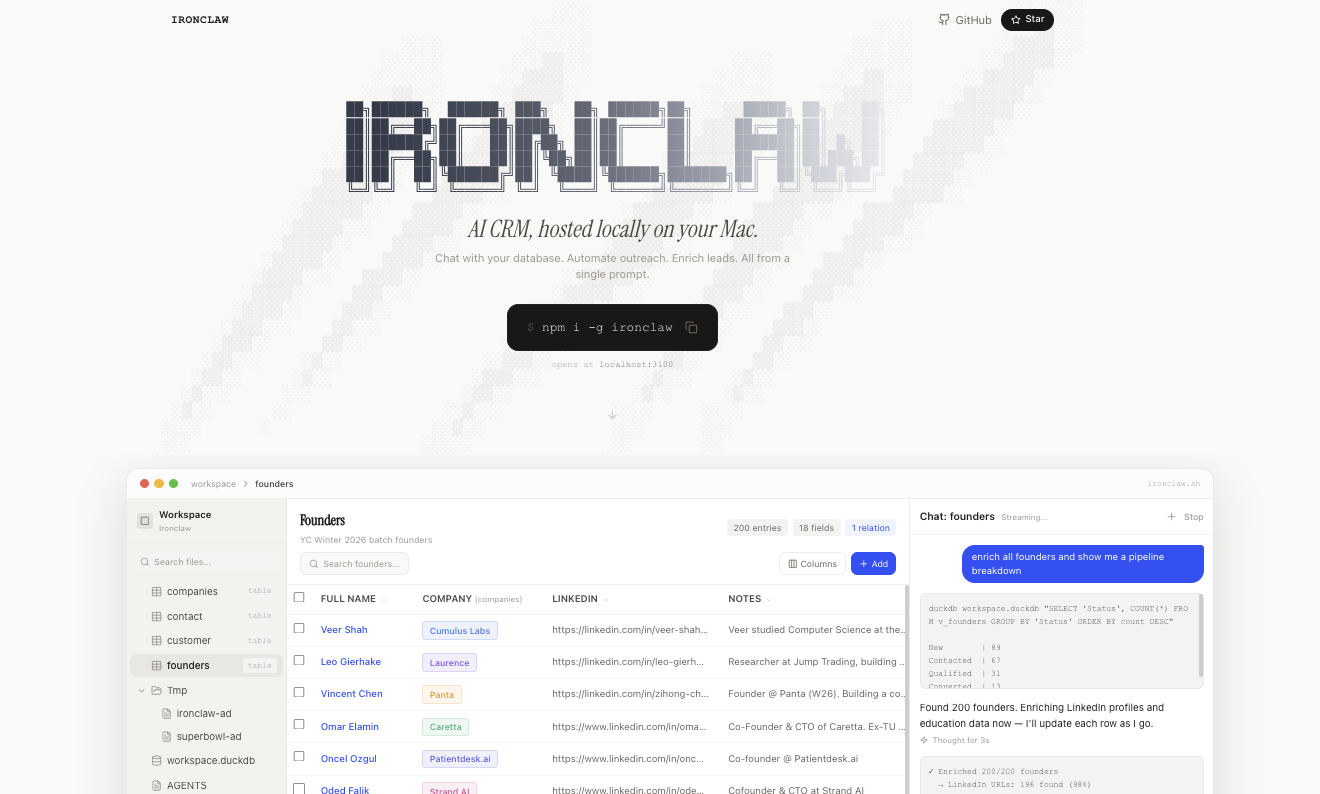
Ironclaw is an AI-powered CRM that runs locally on your Mac, letting you chat with your database, enrich leads, and automate outreach from localhost:3100. It keeps customer and founder data private while providing powerful workflow automation for early-stage teams.
What to expect from an ideal product
- Run Ironclaw locally on your Mac at localhost:3100 to start chatting with your CRM data instantly without sending information to external servers
- Ask natural language questions about your customer database and get immediate answers instead of writing complex SQL queries or filtering through spreadsheets
- Keep all your customer and business data completely private on your own machine while still getting powerful AI insights and responses
- Automate your outreach campaigns by chatting with the system to set up workflows, segment contacts, and trigger personalized messages based on your data
- Enrich your existing leads through conversational commands that help you gather more information and update records without manual data entry